
Anúncios
Listening to live FM and AM radio on your smartphone has never been easier, offering instant access to news, music, sports, and entertainment from around the world.

Explore Radio Options
The evolution of mobile technology has transformed how we consume radio content. While streaming services dominate the music landscape, traditional FM and AM radio stations continue to thrive, adapting to the digital age by offering mobile applications and online streaming options.
Whether you’re commuting to work, exercising at the gym, or relaxing at home, your smartphone can become a powerful radio receiver. This comprehensive guide explores everything you need to know about listening to FM and AM radio on your mobile device, from built-in features to specialized apps.
📻 Understanding FM and AM Radio on Mobile Devices
Most modern smartphones contain an FM radio chip embedded in their hardware. This chip allows your device to receive over-the-air FM broadcasts without using mobile data. However, many manufacturers disable this functionality, requiring users to rely on streaming alternatives instead.
AM radio reception on smartphones is less common due to technical limitations and interference from electronic components within the device. Most mobile radio solutions for AM stations rely on internet streaming rather than direct reception.
The key difference between using the built-in FM chip and streaming radio is data usage. When you activate the FM receiver, you’re capturing broadcasts directly from radio towers, consuming zero mobile data. Streaming radio, whether FM or AM stations, requires an active internet connection and uses approximately 60-120 MB per hour depending on audio quality.
🎧 Using Your Phone’s Built-In FM Radio Chip
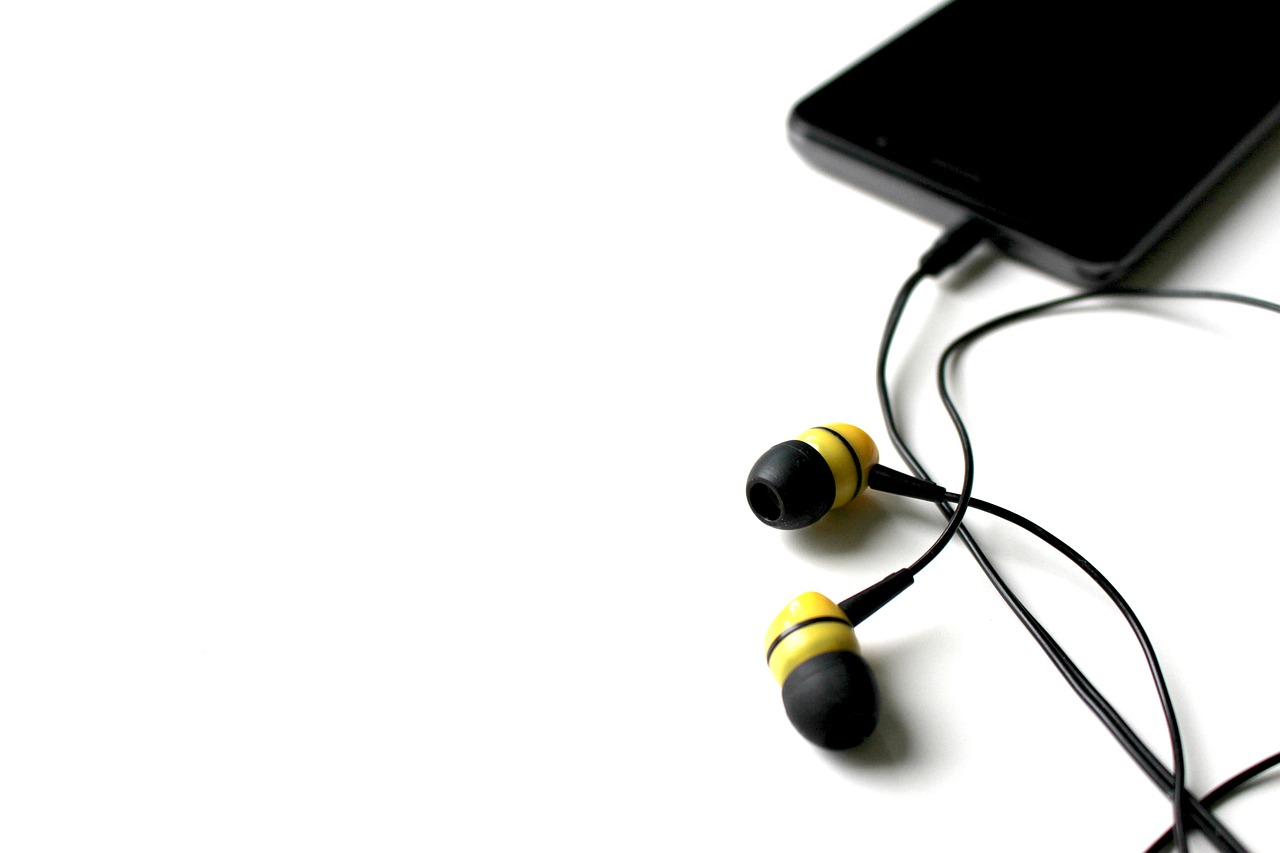
To access your smartphone’s FM radio functionality, you’ll need to connect wired headphones or earbuds. These accessories serve as the antenna necessary for receiving radio signals. Without them, the FM chip cannot function properly, even if activated.
Several smartphone manufacturers include pre-installed radio apps. Samsung devices often come with NextRadio or a proprietary radio app. LG smartphones typically include an FM Radio app in their default software package. Motorola devices frequently support FM functionality through compatible applications.
To check if your device supports FM radio, look for a radio app in your app drawer or settings menu. If you don’t find one, you can download third-party applications like NextRadio, Simple Radio, or TuneIn Radio, which will automatically detect if your phone has an active FM chip.
Activating FM Radio Features
Once you’ve connected your headphones and launched a compatible radio app, the activation process is straightforward. Open the application and grant necessary permissions for location access, which helps identify local stations. The app will scan for available frequencies and display a list of receivable stations in your area.
Most radio apps allow you to save favorite stations, set sleep timers, and even record broadcasts for later listening. The sound quality through the FM chip typically matches or exceeds that of streaming services, offering crisp, clear audio without compression artifacts.
📱 Top Radio Apps for FM and AM Listening
The app ecosystem offers numerous solutions for radio enthusiasts. Each application brings unique features and station databases to enhance your listening experience. Choosing the right app depends on your specific needs, whether you prioritize local stations, international broadcasts, or specific content genres.
TuneIn Radio: The Universal Solution
TuneIn Radio stands as one of the most comprehensive radio platforms available. The app provides access to over 100,000 radio stations worldwide, covering virtually every genre and language. Its intuitive interface allows you to browse by location, genre, or search for specific stations.
The free version includes advertisements but offers unlimited listening. TuneIn Premium removes ads and adds features like live sports from major leagues, audiobooks, and commercial-free music stations. The app works seamlessly across Android and iOS devices, syncing your favorites across platforms.
iHeartRadio: American Radio Powerhouse
iHeartRadio dominates the American radio landscape with access to hundreds of live stations across the United States. The platform combines traditional radio broadcasts with custom stations based on your music preferences. You can create personalized stations similar to Pandora while still accessing live broadcasts from major markets.
The app excels at delivering local news, traffic updates, and weather information alongside music programming. Premium tiers remove advertisements and offer unlimited skips on custom stations, plus on-demand access to thousands of podcast episodes.
Simple Radio: Minimalist Approach
Simple Radio lives up to its name with a clean, straightforward interface focused entirely on radio listening. The app supports both FM chip usage and internet streaming, automatically switching between modes based on availability. Its database includes over 50,000 stations from around the globe.
The minimalist design eliminates unnecessary features, focusing on quick station access and reliable playback. Simple Radio works exceptionally well on older devices with limited processing power, making it ideal for users who want basic functionality without resource-heavy features.

Radio Garden: Global Discovery Platform
Radio Garden offers a unique approach to radio listening by presenting stations through an interactive globe interface. You can spin the virtual Earth and tune into stations from any location worldwide. This visual method transforms radio browsing into an exploration experience.
The app proves particularly valuable for discovering international music, learning languages, or staying connected to home countries when traveling abroad. Radio Garden’s community-driven database ensures regular updates with new stations from emerging markets and remote locations.
🌐 Streaming vs. Over-the-Air Reception
Understanding the distinction between streaming and traditional radio reception helps you make informed decisions about data usage and audio quality. Both methods have distinct advantages depending on your situation and resources.
Over-the-air FM reception through your phone’s built-in chip offers several benefits. It consumes no mobile data, making it ideal for users with limited data plans. The audio quality typically remains consistent regardless of network congestion. Additionally, FM reception works in areas with weak cellular signals, as long as you’re within range of radio towers.
Internet streaming provides access to a vastly larger selection of stations, including AM broadcasts and international channels unavailable over the air. Streaming allows you to listen to stations from anywhere in the world regardless of your physical location. Most streaming apps offer additional features like song identification, lyrics display, and integrated podcast platforms.
Data Consumption Considerations
When streaming radio, data usage varies based on bitrate settings. Standard quality streams consume approximately 60 MB per hour, while high-quality streams can use up to 120 MB hourly. Over eight hours of daily streaming could consume 3-4 GB monthly on standard quality settings.
Many radio apps offer data-saving modes that reduce audio quality to minimize consumption. WiFi listening eliminates data concerns entirely, making it the preferred option when available. Some applications allow you to download favorite shows or segments for offline listening, bypassing streaming requirements altogether.
🔧 Troubleshooting Common Radio Reception Issues
Users frequently encounter challenges when attempting to access radio on their smartphones. Most problems have simple solutions that restore functionality quickly without technical expertise.
If your FM radio app isn’t detecting stations, ensure your headphones are properly connected. Try different headphone brands, as some wireless models don’t function as proper antennas. Move to different locations, preferably near windows or outdoors, as buildings can block radio signals.
Streaming issues typically relate to internet connectivity. Check your WiFi or cellular connection strength. Close background applications that might be consuming bandwidth. Clear the radio app’s cache through your phone’s settings menu, then restart both the app and your device.
Device-Specific Limitations
iPhone users face particular challenges with FM radio access. Apple has consistently disabled the FM chip in iPhones, requiring users to rely exclusively on streaming services. This decision stems from Apple’s business model favoring internet-based services and their own Apple Music platform.
Android devices show more variation in FM support. Budget and mid-range models more commonly include active FM chips compared to flagship devices. Manufacturers like Samsung, LG, and Motorola traditionally support FM functionality, while Google’s Pixel line typically lacks this feature.
🎵 Discovering New Stations and Content
The vast radio landscape can feel overwhelming when you’re starting your mobile listening journey. Strategic approaches help you discover stations that match your interests and entertainment needs.
Most radio apps organize stations by genre, making it easy to explore specific content types. Browse news stations for current events, talk radio for discussion programs, or music categories ranging from classical to contemporary hits. Location-based browsing helps you find local stations offering community news and regional content.
Recommendation algorithms in apps like TuneIn and iHeartRadio learn from your listening habits, suggesting stations similar to your favorites. User reviews and ratings provide insight into station quality and content focus before you invest time tuning in.
📡 Enhancing Your Mobile Radio Experience
Small adjustments and accessories can significantly improve your radio listening quality and convenience. Investing in proper equipment and understanding settings optimization transforms basic functionality into premium experiences.
Quality headphones dramatically impact audio enjoyment. While any wired headphones enable FM reception, models with better drivers and frequency response deliver superior sound quality. Consider headphones with built-in controls for easy station changing and volume adjustment without accessing your phone.
External Bluetooth speakers allow you to share radio content with others. Most radio apps support Bluetooth output while maintaining FM chip functionality through connected wired headphones serving as the antenna. This setup enables room-filling sound without data consumption.
Battery Optimization Strategies
Extended radio listening drains smartphone batteries faster than casual use. Implementing power-saving strategies extends listening time significantly. Lower your screen brightness or turn off the display entirely while listening. Many radio apps continue playing with the screen locked.
Disable unnecessary background processes and close unused applications. Enable battery saver mode on your device, though this may slightly reduce audio quality in some streaming scenarios. Using FM reception instead of streaming conserves battery by eliminating data transmission power requirements.
🌍 International Radio Access Through Your Phone
Smartphones eliminate geographic boundaries for radio enthusiasts. You can access programming from virtually any country, experiencing diverse cultures, music styles, and perspectives from your location.
International radio listening serves multiple purposes beyond entertainment. Language learners benefit from immersive exposure to native speakers in natural contexts. Expatriates maintain connections to home countries through familiar voices and local news. Travelers prepare for destinations by sampling local music and cultural programming.
Time zone differences present unique opportunities. When domestic programming runs late-night content, you can tune into morning shows from Europe or afternoon programming from Asia. This global access creates a 24-hour entertainment cycle tailored to your schedule.
🎙️ Specialized Radio Content on Mobile Platforms
Beyond music and news, radio apps provide access to specialized programming often difficult to find through other media channels. Sports broadcasts deliver play-by-play coverage of games from leagues worldwide. Talk radio spans topics from politics and finance to comedy and paranormal discussions.
Emergency and weather radio stations offer critical information during natural disasters or severe weather events. Many radio apps include emergency broadcast access, providing official government communications during crises when other communication channels might fail.
Religious and cultural programming serves communities seeking faith-based content or ethnic programming in native languages. College radio stations operated by universities offer alternative music and experimental shows unavailable on commercial broadcasts.
💡 Making the Most of Mobile Radio Features
Modern radio applications include features extending beyond simple playback. Understanding and utilizing these tools enhances your overall experience and helps you discover content more efficiently.
Recording functionality in premium apps lets you capture shows for later playback. This proves invaluable for time-shifted listening when live broadcasts conflict with your schedule. Set recordings for regular programs and build a personal library of favorite episodes.
Sleep timers automatically stop playback after specified durations, perfect for bedtime listening without worrying about battery drain. Alarm features allow stations to wake you with your preferred morning shows instead of generic tones.
Social sharing integrations let you recommend stations to friends or post what you’re listening to on social media platforms. Some apps include comment sections where listeners discuss programming in real-time, creating community experiences around shared broadcasts.
🔒 Privacy and Security Considerations
When using radio apps, understanding privacy implications helps protect your personal information. Most applications collect data about listening habits, location, and device information for advertising purposes and service improvement.
Review privacy settings within each app to control data sharing preferences. Disable location services if you don’t need geographic station recommendations. Use ad-blocking features in premium subscriptions to limit tracking through advertising networks.
FM radio reception through built-in chips offers superior privacy compared to streaming. Since over-the-air reception doesn’t connect to internet servers, your listening habits remain private. No third parties can track which stations you tune into or when you listen.
🚀 The Future of Mobile Radio Technology
Radio technology continues evolving alongside smartphone capabilities. HD Radio technology delivers CD-quality sound through FM broadcasts with digital signal processing. Some newer Android devices include HD Radio support, though adoption remains limited compared to traditional FM.
5G networks promise improved streaming quality with reduced latency and better reliability. Enhanced bandwidth accommodates higher bitrate streams without buffering interruptions. This technological advancement particularly benefits users in areas with previously unreliable mobile connections.
Integration with smart home ecosystems allows seamless transitions between devices. Start listening on your phone during commutes, then hand off playback to smart speakers upon arriving home. Voice assistant compatibility enables hands-free control through commands to Siri, Google Assistant, or Alexa.
Listening to FM and AM radio on your smartphone combines the nostalgia of traditional broadcasting with modern convenience and global reach. Whether using built-in FM chips for data-free local listening or streaming international stations through specialized apps, your phone provides unprecedented access to audio content from around the world. Experiment with different applications, explore various genres and stations, and discover the rich programming landscape available at your fingertips.
